Next.js 16 vs Next.js 15 — What Changed for Ecommerce and Why It Matters
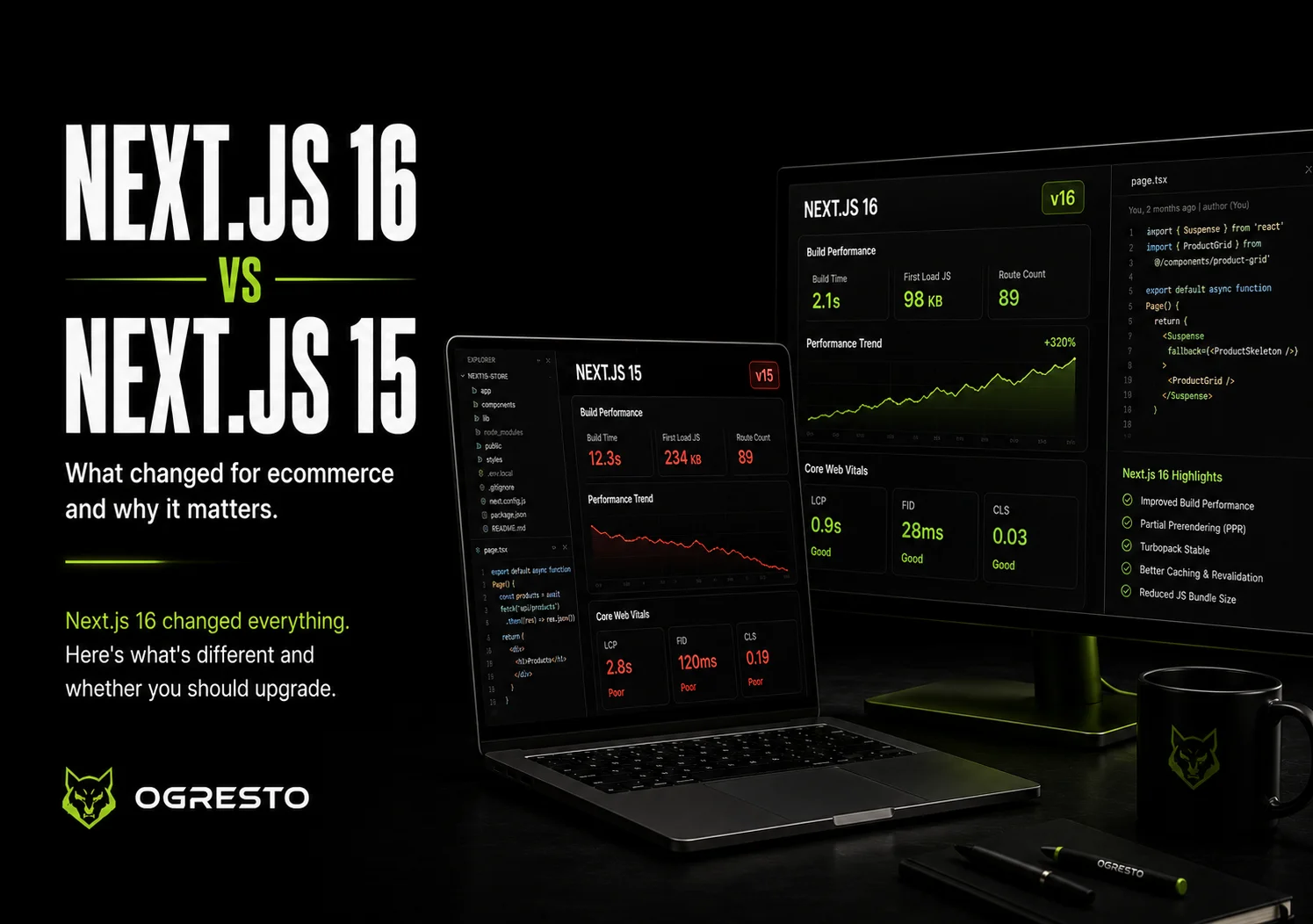
Next.js 16 brought Turbopack stable, improved caching, and faster builds. Here's exactly what changed from Next.js 15, what it means for ecommerce stores, and whether you should upgrade.
Next.js 16 Changed Everything. Here's What's Different.
Next.js releases don't always matter equally. Some versions are incremental — minor API changes, small performance improvements, a few new features most developers won't use. Next.js 16 is not one of those releases.
Turbopack stable. Partial Prerendering production-ready. Improved caching model. Faster cold starts. Better React Server Component patterns. For ecommerce stores built on Next.js, these aren't abstract developer improvements — they translate directly to faster page loads, better Core Web Vitals, and higher Google rankings.
This guide covers exactly what changed between Next.js 15 and 16, what each change means for an ecommerce store specifically, and whether you should upgrade.
The Biggest Change — Turbopack Is Now Stable
Turbopack is Vercel's Rust-based bundler — the replacement for Webpack that has been in development for three years. In Next.js 15 it was available but flagged as experimental. In Next.js 16 it's stable and the default for both development and production builds.
Why this matters for ecommerce developers:
Development build times — Webpack-based builds on large ecommerce codebases (50+ components, 100+ pages) typically take 15-45 seconds for initial compilation. Turbopack reduces this to 2-8 seconds. If you're actively developing a store, this compounds significantly over a day of work.
Production build times — Full production builds that took 4-8 minutes on large stores now complete in 60-90 seconds. Faster deployments mean less time between code changes and live updates.
Hot module replacement — Changes to React components now reflect in the browser in under 100ms consistently. Next.js 15 with Webpack had occasional 500ms-2s HMR delays on complex component trees — noticeable during active development.
Partial Prerendering — Production Ready
Partial Prerendering (PPR) was introduced experimentally in Next.js 14 and refined in 15. In Next.js 16 it's production-ready and the recommended pattern for high-performance ecommerce pages.
PPR solves a fundamental ecommerce tension: product pages need to be fast (static) but also dynamic (real-time inventory, personalised recommendations, cart state).
Before PPR, you had two options:
— Static generation — fast but stale. Prices and inventory update on a revalidation schedule, not instantly.
— Dynamic rendering — always fresh but slower. Every request hits your backend.
With PPR, a single page can have both simultaneously. The product title, description, images, and schema markup render as static HTML — served instantly from Vercel's edge. The inventory status, recommended products, and cart are dynamic shells that hydrate with live data after the static shell loads.
The result: a product page that appears to load instantly (the static shell is served in <50ms) while dynamic content streams in within 200-300ms. Both the user experience and the Lighthouse score reflect a fast page even though part of it is dynamic.
The Caching Model — Finally Predictable
Caching in Next.js 14 and 15 was one of the most complained-about developer experiences in the framework's history. The automatic caching was aggressive — fetch calls were cached by default in ways that were difficult to reason about, leading to stale data appearing in production unexpectedly.
Next.js 16 ships with a fundamentally changed caching model:
Fetch requests are no longer cached by default. In Next.js 15 and earlier, every fetch call in a Server Component was automatically cached unless you explicitly opted out with cache: 'no-store'. In Next.js 16, the default is no caching — you explicitly opt in to caching with next: { revalidate: N } or cache: 'force-cache'.
For ecommerce this is significant. Product prices, inventory levels, and promotional banners should never accidentally serve stale data. The new default means you can't accidentally ship a store where products show yesterday's prices because a developer forgot to opt out of caching.
What this means if you're upgrading from Next.js 15: You need to audit your data fetching. Calls that were previously cached automatically will now fetch fresh data on every request unless you add explicit cache configuration. This is the most common source of performance regressions when upgrading.
React 19 Integration
Next.js 16 ships with React 19 as the default React version. The key React 19 features that affect ecommerce development:
Actions — The new pattern for handling form submissions and mutations. Add to cart, update quantity, apply discount codes — all of these are mutations that previously required separate API route handlers. React 19 Actions let you handle these directly in Server Components with simpler, more readable code and automatic optimistic updates.
use() hook improvements — Cleaner patterns for reading context and promises in Server Components. More readable data fetching code without the boilerplate that Next.js 14/15 patterns required.
Improved hydration — React 19 significantly reduces hydration errors — the mismatches between server-rendered HTML and client-side React that cause console errors and occasional visual flickers on first load. For ecommerce stores where dynamic content (cart count, user state) differs between server and client, this is a meaningful improvement.
Performance Comparison — Next.js 15 vs 16
| Metric | Next.js 15 | Next.js 16 | Impact |
|---|---|---|---|
| Dev cold start (large project) | 15-45s | 2-8s | Turbopack stable |
| Production build time | 4-8 min | 60-90s | Turbopack stable |
| HMR speed | 100-2000ms | <100ms | Turbopack stable |
| Product page TTFB | 200-800ms | 50-200ms | PPR production ready |
| Caching behaviour | Cached by default | No cache by default | Explicit opt-in |
| React version | React 18 | React 19 | Actions, improved hydration |
Breaking Changes — What to Watch When Upgrading
Upgrading from Next.js 15 to 16 is not a drop-in replacement for all projects. Three areas require attention:
Caching audit required — As covered above, fetch requests are no longer cached by default. Any data fetching that relied on automatic caching will now make fresh requests on every render. For product listing pages this could increase backend load significantly if you haven't added explicit revalidation.
Webpack-specific configurations — If your Next.js 15 project used custom Webpack configuration in next.config.js, those configurations are ignored when Turbopack is active. Most common plugins have Turbopack equivalents but some obscure ones don't. Check your webpack config before upgrading.
React 18 → 19 migration — React 19 deprecates some patterns from React 18. ReactDOM.render is fully removed (it was deprecated in React 18). String refs are removed. If your project or any of its dependencies uses these, you'll need to update before upgrading.
Should You Upgrade Your Ecommerce Store?
New projects — Yes, start on Next.js 16. There's no reason to start a new ecommerce project on Next.js 15. The improvements are significant and you avoid having to migrate later.
Existing Next.js 15 projects — Yes, but plan the migration. The performance improvements are meaningful enough to justify the upgrade. Plan 1-3 days for a standard ecommerce store to audit caching, test Turbopack compatibility, and verify the upgrade in a staging environment before production.
Existing Next.js 14 or earlier — Yes, but factor in more migration time. The jump from Next.js 13 or 14 involves App Router migration if you're still on Pages Router. That's a larger project — weeks, not days. But the performance ceiling of Next.js 16 is high enough to justify it for any store doing meaningful traffic.
Striker Next.js — our dark ecommerce template for sports and fitness brands — is built on Next.js 16 with the App Router, Turbopack, and React 19. If you're starting a new project and want a production-ready foundation without building from scratch, it's the fastest path to a Next.js 16 ecommerce store.
Related Reading
FAQ — Next.js 16 vs Next.js 15
Yes. Next.js 16 is the current stable release. Turbopack, which was the main experimental feature in previous versions, is stable in Next.js 16. It's production-ready for new and existing projects.
For a standard ecommerce project: 1-3 days including caching audit, Turbopack compatibility testing, and staging verification. For projects with heavy custom Webpack configuration or React 18 deprecated patterns: add another 1-2 days.
Indirectly yes. Faster page loads from Turbopack and PPR improve Core Web Vitals — LCP and TTFB specifically. Google uses Core Web Vitals as a ranking signal. Stores on Next.js 16 with PPR enabled will see better LCP scores than equivalent Next.js 15 stores.
For most projects yes. Turbopack handles the vast majority of what Webpack does with significantly better performance. Some niche Webpack plugins don't have Turbopack equivalents yet — check your specific dependencies before committing to the upgrade.
Static generation pre-builds the entire page at deploy time — fully static, maximally fast, but can't include dynamic content per-request. PPR pre-builds the static shell of the page and streams dynamic content separately. You get near-static performance for the initial render with real-time dynamic content arriving within milliseconds.
Discussion
Join the conversation