Next.js Shopify Storefront API — Complete Guide 2026
How to connect Next.js to the Shopify Storefront API in 2026 — fetching products, building cart logic, handling checkout, and the fastest way to ship a production-ready headless Shopify store.
What is the Shopify Storefront API?
The Shopify Storefront API is a GraphQL API that gives you read access to your Shopify store's products, collections, cart, and checkout — from any frontend you choose. Unlike the Shopify Admin API, the Storefront API is public-facing and safe to use in client-side code. It is the foundation of every headless Shopify build.
In 2026, the Storefront API is at version 2025-01 and supports everything a production ecommerce frontend needs: product browsing, variant selection, cart management, customer accounts, and redirect to Shopify's hosted checkout. It is stable, well-documented, and actively maintained by Shopify.

The Shopify Storefront API is the bridge between your Next.js frontend and Shopify's backend.
Why Use Next.js with Shopify Storefront API?
Two main reasons brands choose Next.js over a standard Shopify theme:
Performance
Next.js App Router with React Server Components lets you fetch product data at the server level, generate static pages for collections and products, and stream dynamic content. A well-built Next.js storefront consistently outperforms a Shopify theme on Core Web Vitals — particularly LCP (Largest Contentful Paint) and TTFB (Time to First Byte). For high-traffic stores, this translates directly to better conversion rates.
Complete frontend freedom
With a Shopify theme, you are constrained by what the theme allows. With Next.js and the Storefront API, your frontend is pure React — you build exactly what your brand needs without fighting theme limitations. Custom animations, unconventional layouts, bespoke interactions — all possible without workarounds.
Setting Up the Shopify Storefront API
Step 1 — Create a Storefront API token
In your Shopify admin, go to Settings → Apps and sales channels → Develop apps. Create a new app, then under the API credentials tab, configure the Storefront API. Enable the scopes you need — at minimum: unauthenticated_read_product_listings, unauthenticated_read_product_inventory, unauthenticated_write_checkouts, and unauthenticated_read_checkouts. Save and copy your Storefront API access token.
Step 2 — Set up environment variables
NEXT_PUBLIC_SHOPIFY_STORE_DOMAIN=your-store.myshopify.com
NEXT_PUBLIC_SHOPIFY_STOREFRONT_ACCESS_TOKEN=your-token-here
Step 3 — Create a Storefront API client
// lib/shopify.ts
const domain = process.env.NEXT_PUBLIC_SHOPIFY_STORE_DOMAIN;
const token = process.env.NEXT_PUBLIC_SHOPIFY_STOREFRONT_ACCESS_TOKEN;

export async function shopifyFetch(query: string, variables?: object) {
  const response = await fetch(
    `https://${domain}/api/2025-01/graphql.json`,
    {
      method: 'POST',
      headers: {
        'Content-Type': 'application/json',
        'X-Shopify-Storefront-Access-Token': token!,
      },
      body: JSON.stringify({ query, variables }),
    }
  );
  return response.json();
}
Fetching Products
// Get all products
const GET_PRODUCTS = `
  query GetProducts($first: Int!) {
    products(first: $first) {
      edges {
        node {
          id
          title
          handle
          priceRange {
            minVariantPrice { amount currencyCode }
          }
          images(first: 1) {
            edges {
              node { url altText width height }
            }
          }
          variants(first: 10) {
            edges {
              node {
                id title availableForSale
                price { amount currencyCode }
                selectedOptions { name value }
              }
            }
          }
        }
      }
    }
  }
`;

// In your Server Component
const data = await shopifyFetch(GET_PRODUCTS, { first: 20 });
const products = data.data.products.edges.map((e: any) => e.node);

The Storefront API uses GraphQL — you request exactly the fields you need, nothing more.
Building the Cart
The Storefront API uses a Cart object — created server-side and managed via mutations. The cart ID is stored in a cookie and passed with every cart operation.
// Create cart
const CREATE_CART = `
  mutation CreateCart($lines: [CartLineInput!]) {
    cartCreate(input: { lines: $lines }) {
      cart {
        id checkoutUrl
        lines(first: 10) {
          edges {
            node {
              id quantity
              merchandise {
                ... on ProductVariant {
                  id title
                  price { amount currencyCode }
                  product { title }
                }
              }
            }
          }
        }
        cost {
          totalAmount { amount currencyCode }
        }
      }
    }
  }
`;

// Add to cart
const ADD_TO_CART = `
  mutation AddToCart($cartId: ID!, $lines: [CartLineInput!]!) {
    cartLinesAdd(cartId: $cartId, lines: $lines) {
      cart { id checkoutUrl }
    }
  }
`;
Handling Checkout
With the Storefront API, you do not build your own checkout. When the customer is ready to purchase, you redirect them to cart.checkoutUrl — Shopify's hosted checkout at checkout.shopify.com. Shopify handles payments, tax, shipping, and order creation. You handle everything before that point.
// In your cart component
const handleCheckout = () => {
  window.location.href = cart.checkoutUrl;
};
This is the key architectural decision in headless Shopify: you own the browsing and cart experience, Shopify owns the payment. This is actually a significant advantage — you do not need PCI compliance, payment processor integrations, or order management in your Next.js app.
SEO with Next.js App Router
One of the main advantages of Next.js over a client-rendered React app for ecommerce is built-in SEO support. With App Router, product and collection pages are server-rendered by default — Googlebot sees the full HTML without needing to execute JavaScript.
// app/products/[handle]/page.tsx
export async function generateMetadata({ params }) {
  const product = await getProduct(params.handle);
  return {
    title: product.title,
    description: product.description,
    openGraph: {
      images: [{ url: product.images.edges[0].node.url }]
    }
  };
}

// Static generation for all products
export async function generateStaticParams() {
  const products = await getAllProductHandles();
  return products.map(p => ({ handle: p.handle }));
}
Ready-built headless frontend
Striker Next.js — Shopify Storefront API Ready
Skip months of frontend work. Next.js 16 App Router, TypeScript, Tailwind v4. Connects to Shopify Storefront API out of the box.
Unlimited use · One-time $79 · Full source code
The Fastest Way to Ship a Headless Shopify Store
Building all of this from scratch — product pages, collection pages, cart logic, wishlist, search, mobile navigation, SEO metadata — takes 6-12 weeks minimum for a developer who knows what they are doing. The Storefront API setup is straightforward, but the frontend work is substantial.
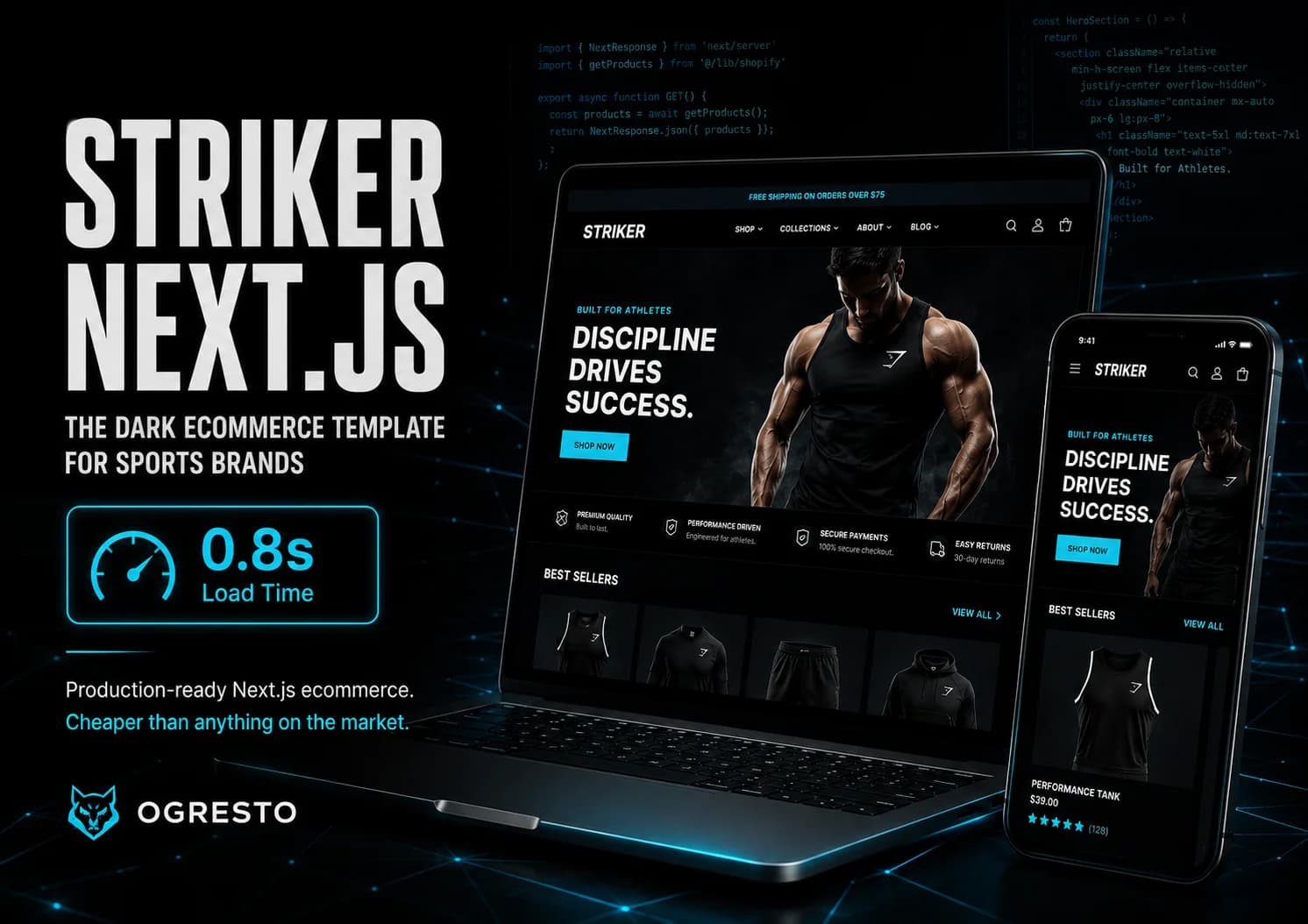
Striker Next.js by Ogresto is a production-ready Next.js 16 ecommerce template built with the Shopify Storefront API integration already complete. App Router architecture, TypeScript throughout, Tailwind v4, cart drawer, wishlist, 10+ pages including collection, PDP, search, about, and contact — all built and ready to connect to your Shopify store.
Instead of spending 8 weeks building what Striker already has, you connect it to your Shopify store, customise the design to your brand, and ship. The underlying architecture is production-grade — the same patterns used by teams building headless stores for brands with millions in revenue.
Ready-built headless frontend
Striker Next.js — Shopify Storefront API Ready
Skip months of frontend work. Next.js 16 App Router, TypeScript, Tailwind v4. Connects to Shopify Storefront API out of the box.
Unlimited use · One-time $79 · Full source code
Related Reading
Frequently Asked Questions
No. The Storefront API is available on all Shopify plans including Basic ($39/month). Shopify Plus gives you access to additional APIs — including the Customer Account API and Checkout Extensibility — but core product, cart, and checkout functionality via the Storefront API works on every plan.
Yes. There is no additional cost to use the Storefront API. You pay your regular Shopify subscription and the API is included.
Yes — and it works exceptionally well. Server Components can fetch Storefront API data directly at the server level with no client-side JavaScript required. This is one of the best combinations for headless ecommerce performance in 2026.
You build the browsing and cart experience in Next.js. When a customer clicks checkout, you redirect them to Shopify's hosted checkout at checkout.shopify.com. Shopify handles payments, tax calculation, shipping, and order creation. You do not need to handle payments yourself or build PCI-compliant infrastructure.
The Storefront API is public-facing — safe to use in client-side code, read-access to products, write-access to carts and checkouts. The Admin API is private — manages orders, inventory, fulfilment, and store configuration. It must only be used in server-side code with private access tokens. Never expose Admin API tokens in your frontend.
Hydrogen is Shopify's own React-based headless framework built on Remix. The Storefront API works with any frontend framework — Next.js, Nuxt, SvelteKit, or anything else. If you are already a Next.js developer, using the Storefront API with Next.js is more practical than learning Hydrogen's Remix-based architecture. Hydrogen makes more sense if you are starting fresh and want Shopify's official headless tooling.
Discussion
Join the conversation